


In the legacy era, many FNF mods were installed by overwriting core files. That was easy to break and hard to reverse. The official V-Slice engine uses Polymod instead, which changes both the mod folder layout and the safest installation workflow.
This article covers official-engine mod compatibility, PC and mobile setup, and the most common failure cases.
Audience: New players
Last verified: 2026-07-01
Builds checked: Desktop v0.8.4 (2026-03-26) and Android v0.8.5 hotfix (2026-04-06)
Before you start: compatibility rules
Official engine vs community engines
| Official FNF V-Slice | Psych Engine / Kade Engine | |
|---|---|---|
| Mod folder | mods/ with _polymod_meta.json | Engine-specific layouts |
| Scripting | HScript (.hxc) | Usually Lua |
| Compatibility | Not interchangeable | Not interchangeable |
If a mod page says it is for Psych Engine, do not expect it to work by dropping it into the official Itch.io or GitHub build.
Match game version to api_version
Every official-engine Polymod mod declares an api_version inside _polymod_meta.json. That version must be compatible with the game build you are running.
How to check:
- Read your game version from the title screen or pause menu.
- Open the mod’s
_polymod_meta.json. - Compare the mod’s
api_versionwith the release line you installed.
As of July 1, 2026, the prepared source material for this series was checked against desktop v0.8.4 (released March 26, 2026) and Android v0.8.5 hotfix (released April 6, 2026). Newer builds may require newer mod packages.
1. PC mod installation standard
The official engine reads mods from a dedicated mods/ directory next to the executable.
Required directory structure
Friday Night Funkin/├── funkin.exe└── mods/ └── YourModFolder/ ├── _polymod_meta.json ├── songs/ ├── images/ └── data/When you open YourModFolder, _polymod_meta.json should be visible immediately. If it is buried under another wrapper folder, the game may ignore it.
Common pitfalls
Nested folder:
wrong: mods/MyMod-v1.0/MyMod/_polymod_meta.jsonright: mods/MyMod/_polymod_meta.jsonWrong extension:
- Windows can hide file extensions and leave you with
_polymod_meta.json.txt - enable file extension visibility and confirm the real filename
ZIP mods:
- ZIP mod support exists on newer V-Slice builds
_polymod_meta.jsonstill needs to be at the root of the archive
2. Official mobile workflow
Official mobile builds use the same Polymod model, but the app data lives inside a mobile sandbox.
Use the official stores:
| Platform | Official source |
|---|---|
| Android | Google Play - me.funkin.fnf |
| iOS | App Store |
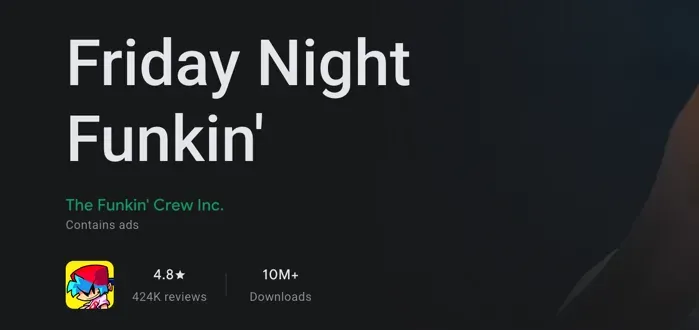
Figure 1 - Author screenshot of the official Android store listing.
Recommended mobile path
- Launch official Friday Night Funkin’ on the device.
- Open
OPTIONS. - Select
OPEN DATA FOLDER. - Let the file manager open the app sandbox.
- Copy the mod folder into the internal
mods/directory. - Restart the game.
This is a safer workflow than downloading random repacked “Mod APK” files or relying on older manual folder instructions from unofficial videos.
3. Troubleshooting index
Black screen or instant crash
Likely causes:
- API mismatch between the game build and the mod
- scripts calling functions not supported by your current build
Start by removing all mods, confirming the base game launches, then reintroducing mods one by one.
Mod does not appear in menus
| Problem | Fix |
|---|---|
| Nested folder | Move _polymod_meta.json up so it sits one level under mods/ |
| Missing metadata | Create or restore _polymod_meta.json from the official template |
| Malformed JSON | Validate commas, quotes, and required fields |
| Wrong engine target | Confirm the mod is for official Polymod + HScript, not Psych or Kade |
Polymod error popup
Common triggers:
- malformed
_polymod_meta.json - missing required metadata fields
- undeclared dependencies
- script sandbox violations on newer official builds
Song loads but audio is silent
Check:
- use
.oggfiles rather than.mp3 - filenames match the song metadata exactly
- capitalization matches the expected asset paths
Mod worked before a game update
After major updates, the mod may need a newer api_version or script adjustments. Check the mod author’s release notes before assuming the game itself is broken.
References
Official sources
- Friday Night Funkin’ modding documentation
- The metadata file
- Asset replacement and additions
- FunkinCrew/Funkin - GitHub Releases
- GitHub issue #5366 - Android data folder discussion
- Polymod metadata documentation